
Installing this application will not harm your device. Please ensure that apps from unknown sources can be installed on your device.
Place bets on the BizBet mobile app
We're constantly improving our applications and use all the capabilities of modern mobile devices. Our main aim is to provide the ultimate user experience, alongside simplicity and security.
Scores and odds updated live
Quick access to your bet history
A large selection of LIVE events

How to install the Android app
BizBet

App installed
How to install the iOS app
Search
 B.Bet
B.BetGo to the App Store and search for "B.Bet", or follow this link in your browser.
 B.Bet
B.BetRegister on the website. After that you will be able to use the app without a VPN
Bizbet Mobile: Download Bizbet App and APK
Bizbet offers mobile apps for Android and iOS, which can be used for both sports betting and casino games. On this page, you will have access to official and secure download methods, as well as the option to choose your system for proper installation.
The availability of the app may be affected by the user's region or device, as there are some basic requirements. It is worth remembering that users should only trust the official Bizbet pages for downloading installable files, as downloads from unknown sources are not secure and may compromise the security of the mobile device.
The Bizbet app is only for people over 18 years old. After installing it, remember to always gamble responsibly, maintain financial and mental control, and be alert to any signs of gambling addiction. Games are for entertainment purposes only, and no winnings are guaranteed.
Bizbet Mobile App: Key Features
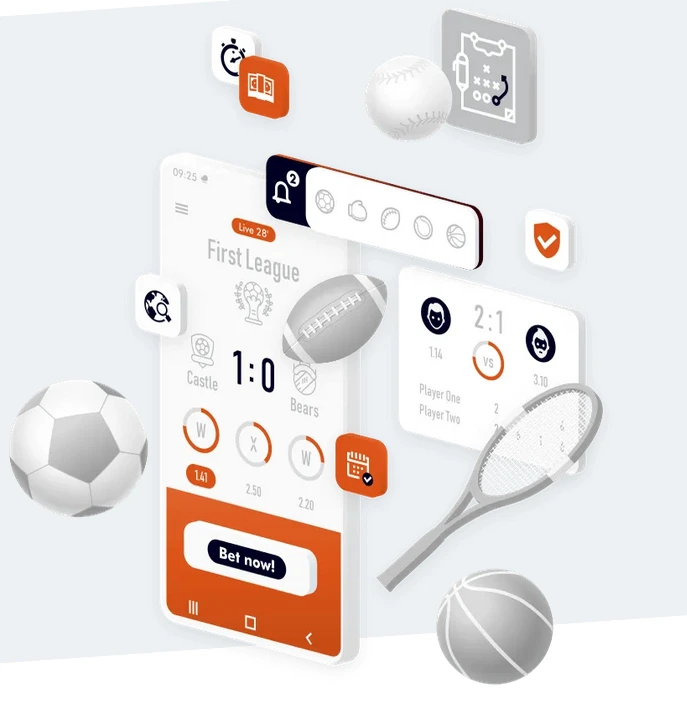
The Bizbet app has features that can assist with sports betting and casino games. After all, the gaming experience on mobile devices is quite different from that on desktops, so this experience may be more suitable for some user profiles. All the Bizbet bonus are available in the mobile version.
The app provides faster access to essential areas of the platform, allowing you to quickly enter the sports page, the live sport betting area, the betting slip, and the account section. Access to the payments tab is also fast.
In relation to sports betting, the app has several features. During events, the app displays scores and statistics in real time. The odds are also updated constantly according to what is happening in the games, allowing you to understand the trends of the match.
The Bizbet app gives you quick access to your betting history. This allows you to see which types of bets are bringing you the highest success rate. The display is intuitive, and the information is adapted for smaller screens. In addition to sports betting, you can also play Bizbet slots on the app.
It is also worth mentioning that the Bizbet app offers several live video streams of events, as the platform has the rights to broadcast many leagues in different sports. On the betting page, you can see which games have live streaming by looking for the video icon next to the matches. It is also possible to place bets using a Bizbet promo code.
Feature | What it helps with | Notes |
Live scores & odds updated | Follow matches in real time and understand the trends of each sporting event by viewing statistics and updated odds. | Odds may change between the time of entry on the betting slip and confirmation of the bet. However, the user is informed when this occurs. |
Bet history access | Track previous bets. This allows you to understand which type of bet has a higher win rate and also helps with planning and financial control. | You must have an account created, with deposits and bets already placed. Bets placed on the computer are also recorded in the app's bet history. |
Live events section | Matches taking place in real time with odds that fluctuate according to what happens in the games. Live statistics are presented and, in many cases, with video streams. | You can check if the game is being broadcast live by the presence of an icon next to each match in the selection menu. |
Bizbet Mobile Download Options (Android & iOS)
There are three main options for accessing Bizbet via mobile devices. Each type of user has a more suitable method. These are access via Android, access via iOS, and access via mobile browsers.
For Android users, access is via downloading the APK file using the button available on the official Bizbet Android Mobile page. Then, you need to install the APK file on your mobile device to access the app.
For iOS users, which is the system for iPhone and iPad devices, the download and installation are done directly through the App Store. Availability varies depending on the user's region.
Access via mobile browsers is suitable for those who do not want to install any apps on their mobile device or for iOS users who do not have the app available in the App Store. The mobile version of Bizbet has compatibility with all major mobile browsers, such as Chrome, Firefox, Safari, and Samsung Browser.
Option | Best for | How to access |
Android app (APK) | Android users who prefer to play and bet via an app | Download available via the official button on this page. |
iOS App (where available) | iPhone and iPad users | Use the App Store navigation guide available on this page. |
Mobile website | Anyone | Simply access the official Bizbet website link using your preferred mobile browser. |
Bizbet Mobi: Mobile Website vs App (Which Should You Choose?)
Whether to use the Bizbet app or the mobile version of the website is a choice that depends on each user's profile. There are some basic but important differences in the experience.
With the app, you can access the platform more quickly by saving your login information, and you can even access it with biometrics, depending on your device's system. Navigation is smoother. The mobile browsing version, on the other hand, does not require any installation, making it suitable for those who do not use the platform frequently and just want quick access. In addition, it is the ideal option for users who do not have the app available due to their region.
Below is a table that will help you make a choice based on your needs:
Option | Pros | When to use |
Bizbet App | Fast navigation, layout designed exclusively for mobile, possibility of faster login with saved credentials | Frequent betting sections, live betting |
Mobile website | No installation required, works on any smartphone regardless of region or device model | Occasional use or when the app is not available to iOS users |
Bizbet APK Download (Android): How to Install Safely
APK is the standard file format for installing applications on Android devices. Installation is simple, but requires changing a basic setting on your smartphone. Here's how to download and install:
Step | Action | Result |
1 | Tap the Android button on the Bizbet Mobile page to download Bizbet APK. | The APK file download will start immediately |
2 | Open your Android device settings and allow the installation of unknown apps. The process may vary slightly depending on your smartphone model. | Allow the installation of APK files |
3 | Allow the installation of apps from your browser or File Manager | Enable all necessary permissions |
4 | Open the Bizbet.apk file downloaded in Step 1. | The installer will start the process. |
5 | Tap Install | The application Bizbet will be installed and ready to use. |
Bizbet App Download iOS (iPhone/iPad): What to Do
Downloading the Bizbet app for iPhone and iPad has all the security inherent to the App Store. To access the app, search for Bizbet in the App Store and check if it is available in your region.
If the app is not available, you can use the mobile website. Using the Safari browser, you can add the site to your device's Home Screen, creating a shortcut for quick access.
Step | Action | Result |
1 | Open the App Store and search for Bizbet | You will see a list of available apps |
2 | If Bizbet is on the list, click on it and install it | The app will be installed and you will be able to register or log in |
3 | If the app is not available in your region | Use the Bizbet mobile website through your preferred browser |
Bizbet Login on Mobile: Sign In or Register
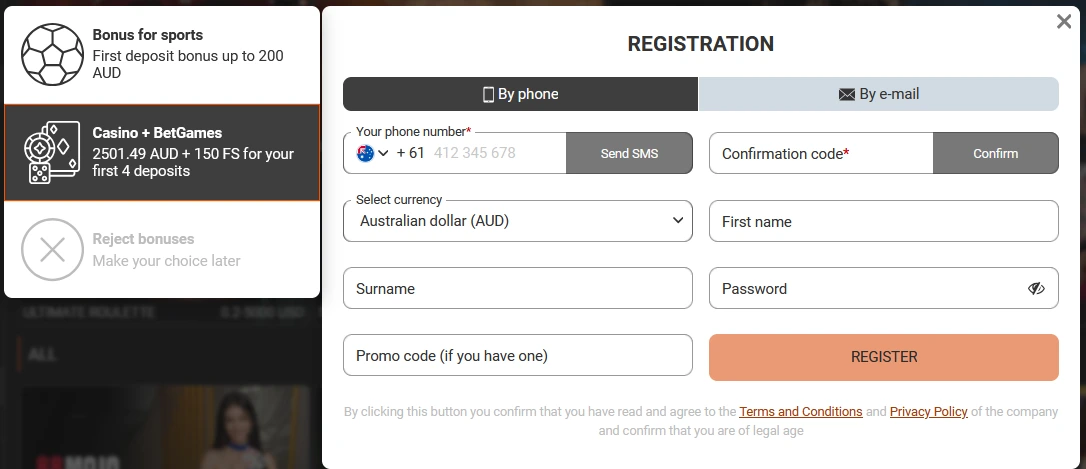
After downloading and installing the Bizbet App, you can register or log in to the platform. When you open the app, these options will be highlighted. After logging in, you can switch between the Sports, Live, or Casino sections using the bottom menu.
When registering, it is essential to choose a secure password. To do this, use lowercase and uppercase letters, numbers, and symbols. Remember to never share your credentials with anyone. It is always recommended to read the Privacy Policy, the site rules, and all terms and conditions. In case of any subsequent problems, you can get help by contacting the support service via chat.
On the login page, you can also access the“Forgot Password”button. Through this option, you can change your password by verifying the contact details provided during the Bizbet registration.
Action | For whom | Outcome |
Register | New users | Create account |
Log in | Existing users | Access the bookmaker and the casino |
Forgot Password | Users who do not remember their password | Reset access and change password |
Bizbet offers deposit and withdrawal methods in AUD. The processing time for each transaction varies depending on the selected system. Some methods may incur fees from the payment intermediary.
Bizbet App Update: Latest Version and Updates
After installing the Bizbet app, it is essential to keep it updated with the latest version. This ensures security updates, greater stability when browsing, access to new features, and the correction of possible errors.
For Android devices, use the latest version of the APK file available on the official Bizbet website. For iOS users, simply update via the App Store.
Platform | Recommended update method | Notes |
Android | Install the latest official APK version via the Bizbet official mobile page | Replace older build |
iOS | Update via the App Store if the app is available in your region | Depends on region |
Mobile Performance Tips: Data Use, Notifications, and Battery
By following a few tips, you can improve your experience with the Bizbet app. It is also necessary to understand how the app works. The live sections, both live casino and betting, may use more data, so it is recommended to access via Wi-Fi, especially for sporting events with live streams.
You can enable notifications to receive information about Bizbet. This is conditional on enabling alerts and on devices that support the feature. To save battery life while using the app, you can lower the screen brightness and close apps that are running in the background.
Topic | What to do | Why it helps |
Data | Use Wi-Fi for live content | Reduce mobile data usage |
Notifications | Enable/disable if supported | Avoid distractions |
Battery | Close background apps and reduce screen brightness | Improves stability |
Troubleshooting: Common Mobile Download Issues
In some cases, problems may arise during the installation or use of the Bizbet app. These include lack of installation permission, lack of space on the device, problems with the internet network, or obsolete app version. Here's how to resolve each of these issues.
Issue | Likely cause | Fix |
APK won't install | Installation of apps from unknown sources is blocked on the device | Go to your device settings and enable the option to allow “Install unknown apps” |
Download fails | Network or security settings | Change your connection, try using mobile data, and start the Bizbet download Android or iOS again |
App won't open | Outdated version | Update or reinstall the app in the App Store or with the Bizbet app download APK |
Can't login | Wrong credentials or reset needed | Use the “Forgot password” option on the Bizbet login screen |
Slow app | Lack of space on the device | Free up space on your device by deleting unused files and apps or clearing the app cache |
With all your questions answered, you can now download and install the Bizbet app.